


Last Updated on 2 weeks ago by Sachin G
As a Linux SysAdmin and SRE, I used to believe my monitoring stack was tight enough to catch anything—from CPU spikes to a failing node in Kubernetes. But the first time I saw a perfectly healthy Ubuntu server fall over in the middle of peak traffic, with no logs pointing to the root cause, I realized something important:
Modern Linux malware doesn’t behave like the old-school noisy processes we grew up debugging.
Always consume 100% CPU.
Doesn’t always open suspicious ports.
It doesn’t always drop artifacts into /tmp.
Sometimes it blends into your legitimate workload, hijacks a normal-looking binary, and stays memory-resident long enough to evade everything from SIEM alerts to EDR agents.
If you’ve ever chased a mysterious load spike, unexplained memory pressure, or a zombie parent process that “shouldn’t exist,” you’ve already brushed against one of the biggest problems in Linux security today:
Monitoring tells you what a process is doing —
not what it shouldn’t be doing.
In this article, I’ll break down why Linux malware keeps slipping past monitoring and reveal the single runtime clue that consistently exposes hidden threats in production, even when logs look clean.
This is written for advanced Linux SysAdmins, DevOps engineers, Cloud Architects, and SREs—not beginners
A Real Production Scenario
Let me begin with a scenario that unfolded during an on-call rotation.
The Incident
At 03:12 AM, one of our Ubuntu nodes in a 14-node autoscaling group started showing:
- Memory pressure is increasing slowly
- A minor shift in CPU load
- Elevated syscall activity
- No logs indicating compromise
- No suspicious network connections
Everything looked “normal,” except for one detail:
A system binary (/usr/bin/atd) spawned a child process that didn’t match its expected behavior.
The child process:
- Had no associated executable on disk
- Was running from deleted memory-mapped pages
- And kept respawning only during traffic bursts
EDR didn’t alert.
Syslog didn’t alert.
CloudWatch didn’t alert.
Tripwire didn’t alert.
Our SIEM saw nothing.
But the runtime behavior was wrong.
That mismatch was the only clue.
This incident taught me a critical lesson:
Malware doesn’t need to be loud to be deadly — it just needs to look familiar enough to slip past your monitoring.
Let’s break down why.
Why Standard Monitoring Fails (Even Enterprise Tools)
Most monitoring systems focus on:
- CPU usage
- Memory usage
- Disk I/O
- Network traffic
- Log entries
- Process names
- Binary paths
- Open ports
But modern Linux malware is engineered specifically to avoid these signals.
Reason 1: Malware disguises itself as normal Linux processes
A malicious payload might rename itself as:
sshdsystemd-journaldkworker/0:1bashcron
These names pass through every alert filter you’ve set.
Reason 2: Malware injects into already-running binaries
Fileless malware often uses:
LD_PRELOADinjectionsptrace- Process hollowing
memfd_create()(common in cryptojackers and backdoors)overlayfsmanipulation
None of these creates filesystem artifacts.
Traditional rootkits thrived on hidden files. Modern ones don’t need them.
Reason 3: Logs can be manipulated or bypassed
Many Linux malware families:
- Disable auditd
- Disable journald rate-limits
- Write directly to
/dev/null - Hook syscalls to fake logs
EDR and SIEM tools that rely on log pipelines often miss these.
Reason 4: Behavioral anomalies > static indicators
Malware can mimic:
- CPU patterns of Kubernetes sidecars
- Memory usage of Node.js services
- Network bursts from microservices
- Load signatures from cron jobs
That’s why you need runtime behavior analysis, not signature detection.
The Runtime Clue You’re Missing: Parent–Child Mismatch
Here’s the key insight:
Every malware process eventually reveals itself through an unexpected parent–child relationship in the process tree — even when everything else looks normal.
It’s the one anomaly attackers can’t mask perfectly.
What this means:
A legitimate binary tends to spawn predictable children.
For example:
| Parent Process | Expected Children |
|---|---|
nginx | worker processes |
sshd | user sessions |
systemd | almost anything |
cron | scheduled jobs |
python3 app.py | child workers |
java -jar | GC processes |
But malware often hijacks these processes to create:
- Orphan processes
- Children with no backing executable (
(deleted)) - Memory-only processes via
memfd_create() - Processes with mismatched cgroups
- Processes with impossible timestamps
- Processes with altered namespaces / caps
This mismatch exposes hidden malware even when logs, CPU, ports, and memory look normal.
How to Detect This Clue (Practical Commands)
Here are the exact runtime commands I use during an incident.
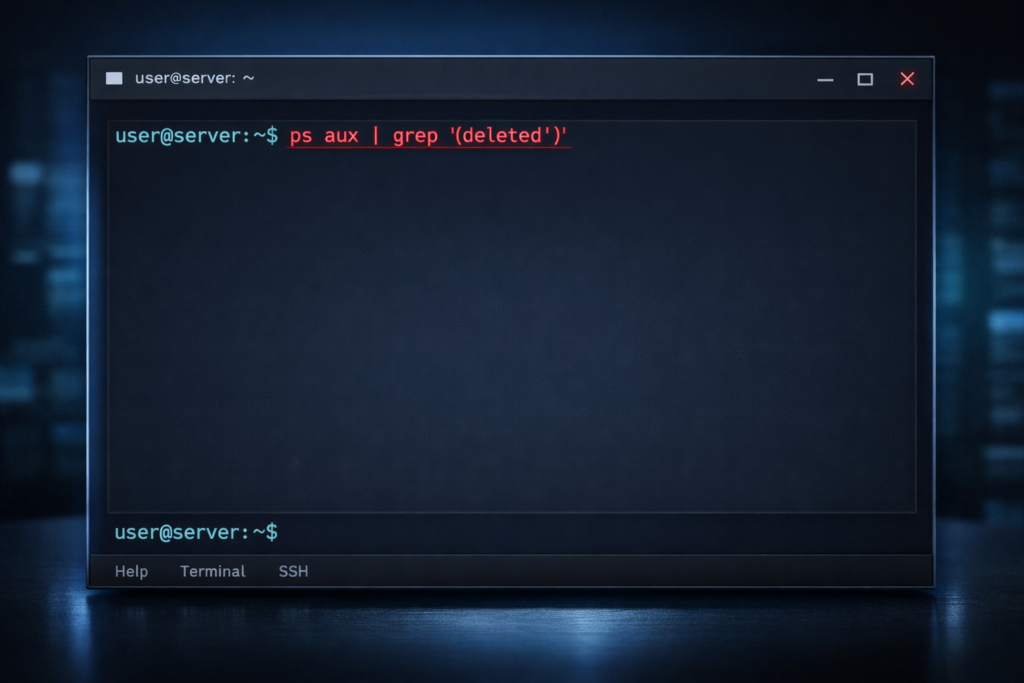
1. Identify memory-only or deleted binaries
ps aux | grep '(deleted)'
2. Show the full parent–child chain
ps -eo pid,ppid,cmd --forest
What to look for:
- A normal parent spawns an unexpected child
- Services spawning processes outside their service definition
- Zombie parents that shouldn’t own new children
3. Inspect memory mappings for suspicious anonymous segments
cat /proc/<PID>/maps | grep -i 'anon'
Memory-resident malware often uses large anonymous sections.
4. Check executable path consistency
readlink -f /proc/<PID>/exe
If it returns:
(deleted)- empty
- points to an unexpected binary
…that’s a red flag.
5. Compare process start time vs parent start time
ps -o lstart= -p <PID>
ps -o lstart= -p <PPID>
If the child started before the parent → impossible.
If the parent restarted but child didn’t → suspicious.
Why This Works When Everything Else Fails
Because malware authors can:
- fake logs
- fake process names
- fake binary paths
- fake permissions
- fake open ports
- fake SELinux contexts
…but they cannot consistently fake the runtime tree during load.
Linux kernel process relationships are extremely difficult to mask without:
- kernel patching
- eBPF manipulation
- or a full rootkit
Most malware is not that advanced.
3 Real Lessons From Incidents
1. Systemd makes process trees look legitimate
Systemd is the “everything parent.”
Malware often hides children under systemd to look harmless.
You must check:
- capabilities
- namespaces
- memory maps
- cgroups
Not just parent → child.
2. Kubernetes hides anomalies
In k8s, malware may attach to:
- pause containers
- sidecars
- init containers
- abandoned pods
You must inspect container namespaces, not just host processes.
3. Cron is a common disguise
Malware will often:
- create temp cron jobs
- run memory-only payloads
- delete itself
- leave no logs
A child process of cron with a deleted binary is almost always malicious.
How malware hides inside normal Linux processes
Attackers love piggybacking on legitimate services like:
sshdnginxcontainerdpython3systemd
They often:
- use
ptraceto hollow processes - replace memory directly
- inject payloads via
/proc/<pid>/mem - tamper with the ELF headers
This makes detection extremely difficult unless you check runtime state.
Why Linux monitoring misses advanced threats
Most tools rely on:
- thresholds
- static heuristics
- known bad hashes
- log ingestion
- known patterns
But cloud-scale workloads are noisy.
Malware hides inside that noise.
Enterprise tools often ignore:
- process lifecycle anomalies
- impossible timestamps
- mismatched namespaces
- deleted binaries
- memory-only payloads
- parent–child deviation
The OS, however, does not hide these facts.
The runtime behavior that exposes hidden threats
Here’s the key pattern:
A process spawned by a binary whose behavior doesn’t match its identity.
Example:
PPID: /usr/sbin/cron
PID:  memfd: (deleted)
Cron does not spawn memory-deleted executables.
Ever.
This anomaly is your kill-switch.
The exact steps SREs use during an incident
Step 1 — Identify unusual processes
ps faux
Look for:
- weird spacing in names
- names with NULL bytes
- children with no command line
Step 2 — Check process capabilities
capsh --print | grep <PID>
Malware often gives itself unexpected caps:
cap_sys_ptracecap_net_admin
Step 3 — Check network connections
ss -tpna | grep <PID>
Unexpected remote connections matter more than open ports.
Step 4 — Memory investigation
grep -i memfd /proc/*/maps
Memory-only payloads are the #1 technique used by cryptojackers.
Step 5 — Kill and block
- kill the process
- disable or isolate the node
- Rebuild the instance
- Audit IAM roles
- rotate keys
Never trust a compromised system again.
Look for hidden processes. Compare the process list from ps with what the kernel exposes in /proc. A PID that has a /proc/<PID> directory but does not show in ps output is a strong sign of a userland rootkit:
bash
ps -eo pid --no-headers | sort -n > /tmp/ps.txt
ls /proc | grep -E '^[0-9]+$' | sort -n > /tmp/proc.txt
comm -13 /tmp/ps.txt /tmp/proc.txt
(Short-lived processes can also appear here, so run it two or three times before you treat a PID as suspicious.)
Real-World Lessons Learned (From SRE Postmortems)
Lesson 1 — The threat rarely begins where you think
Almost every incident starts with:
- a stale key
- leaked GitHub token
- exposed Jenkins worker
- insecure container
Very few start with a “hacker brute forcing SSH.”
Lesson 2 — Autoscaling hides malicious activity
When a node becomes unhealthy:
- it’s replaced
- logs are wiped
- ephemeral storage disappears
This makes malware detection harder.
Lesson 3 — Observability ≠ Security
Metrics ≠ malware detection
Logs ≠ truth
Distributed traces ≠ integrity
You need runtime analysis.
Best Practices for Detecting Hidden Linux Malware
1. Enforce immutability
Rebuild, don’t patch infected servers.
2. Monitor process trees continuously
Use:
- Falco
- Sysdig
- Cilium Tetragon
- Auditd
3. Track deleted executables
Alert on any process running from deleted memory.
4. Monitor namespace mismatches
Containers often leak anomalous processes.
5. Alert on unusual parents
Unexpected process trees are a major indicator.
FAQ
A: Process behavior analysis, especially parent→child inconsistencies.
A: Because legitimate binaries don’t delete themselves while running.
Malware does.
A: Linux workloads are too dynamic, and most EDR tools rely on userland signals.
A: Falco, Sysdig, Tetragon, Katran, and native /proc inspection.
A: No, but it can reinfect if persistence exists elsewhere.
Conclusion
Modern Linux malware is silent, stealthy, and engineered specifically to blend into your cloud workloads. It hides inside legitimate binaries, mimics normal traffic patterns, bypasses logging, and quietly manipulates runtime memory until your node collapses under “unknown load.”
But it always leaves behind one runtime clue:
A process doing something its parent should never do.
If you can detect this anomaly, you can expose malware even when every other monitoring tool fails.
For SREs, DevOps engineers, and Linux SysAdmins operating production systems at scale, mastering this detection technique isn’t optional — it’s survival.
If you want to deepen your Linux, DevOps, SRE, and security troubleshooting skills, check out my Udemy courses — hand-picked for real production environments and constant upskilling. I’ve also written an in-depth breakdown of why Linux malware often evades monitoring and the runtime clue that exposes it.